
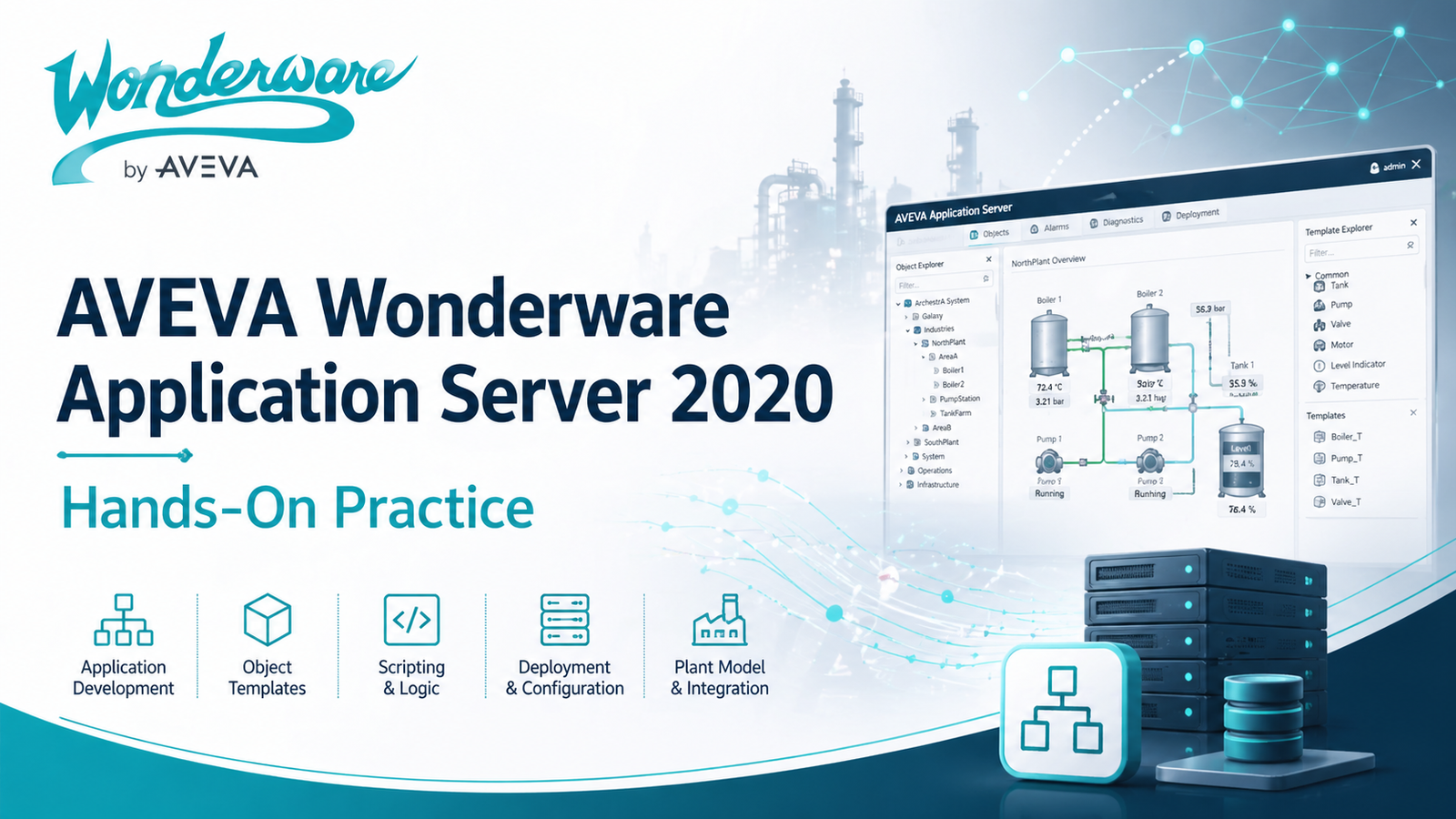
AVEVA Wonderware Application Server – Hands-On Practice
Original price was: $ 100,00.$ 64,00Current price is: $ 64,00.
Description
This hands-on course is designed to help learners understand and practice the core functions of AVEVA Wonderware Application Server 2020, part of AVEVA System Platform. The course focuses on building application objects, creating reusable templates, configuring attributes, integrating device servers, using scripting, and working with deployment and plant models.
Through practical labs, learners will gain experience with the Application Server project workflow and learn how to configure, test, and simulate data within the AVEVA environment.
What You’ll Learn
By the end of this course, you will be able to:
- Understand AVEVA Wonderware Application Server and its role in AVEVA System Platform
- Work with AVEVA Wonderware Application Objects
- Create and manage Global Derived Templates
- Configure Templates and Attributes
- Understand Device Integration Servers
- Use scripting inside AVEVA Wonderware Application Server
- Develop an Auto Reconnect Script
- Plan an Application Server project workflow
- Work with the Application Server project structure in AVEVA System Platform
- Use Object Viewer for monitoring and troubleshooting
- Configure data simulation for testing purposes
- Create Plant Models
- Create Deployment Models
- Practice concepts through hands-on labs
Course Topics
1. Introduction to AVEVA Wonderware Application Server
Learn the basic purpose of Application Server, how it fits into AVEVA System Platform, and how it is used in industrial automation and SCADA applications.
2. Application Objects
Understand Application Objects, their purpose, and how they are used to represent equipment, devices, processes, and logic within a project.
3. Global Derived Templates
Learn how to create reusable templates that help standardize application development and reduce repeated configuration work.
4. Templates and Attributes Configuration
Practice configuring object templates and attributes, including defining values, properties, and behavior for application objects.
5. Device Integration Servers
Understand how Device Integration Servers are used to connect AVEVA System Platform with field devices, PLCs, and other data sources.
6. Scripting in Application Server
Learn the basics of scripting in AVEVA Wonderware Application Server and how scripts can be used to automate logic and improve system behavior.
7. Auto Reconnect Script Development
Develop a practical Auto Reconnect Script to help improve communication reliability and system recovery.
8. Application Planning and Project Workflow
Learn how to plan an Application Server project and follow a structured workflow from design to deployment.
9. Object Viewer
Use Object Viewer to monitor object values, test configurations, and troubleshoot application behavior.
10. Data Simulation
Configure simulated data to test objects, scripts, templates, and system logic without requiring live field devices.
11. Plant Model Creation
Learn how to build a Plant Model that represents the physical or logical structure of an industrial facility.
12. Deployment Model Creation
Create and configure a Deployment Model to define how application components are assigned and deployed across system nodes.
13. Hands-On Labs
Apply what you learn through practical lab exercises designed to reinforce each major course topic.
Who This Course Is For
This course is suitable for:
- SCADA engineers
- Automation engineers
- Control system engineers
- System integrators
- Industrial software engineers
- Technicians working with AVEVA or Wonderware systems
- Students or professionals who want hands-on experience with AVEVA System Platform
Requirements
Basic knowledge of industrial automation, SCADA systems, PLC communication, or Wonderware/AVEVA software is helpful but not required.
Related products
-
Sale!
-
Sale!
Mitsubishi GX Works3 v1.03Q & GX Works2 v1.560J
Original price was: $ 110,00.$ 90,00Current price is: $ 90,00. -
Sale!
Virtual machine tia portal v19
Original price was: $ 70,00.$ 46,00Current price is: $ 46,00. -
Sale!
Siemens Master Virtual Machine 2024
Original price was: $ 200,00.$ 70,00Current price is: $ 70,00.
Reviews
There are no reviews yet.